Halloween
from the trick-or-treat department


🎃This simple guide will show you how to receive your bitcoin halloween treat!🎃
You see, I’m passing out bitcoin this Halloween instead of candy, and this guide will show you how to receive your bitcoin treat. And since this is being published about 3 weeks before Halloween, at the bottom of the guide I’ll show you how to make these simple bitcoin treats if you like the idea. 🎃🎃🎃
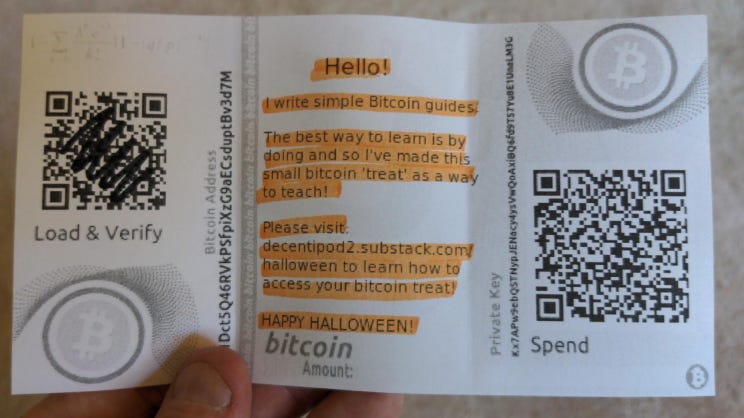
This is what the bitcoin treat looks like:
If you are brand new to bitcoin:
You’ll first need to install a bitcoin wallet program on your computer. And I’ll show you how to do that further down the page but first I’m going to show you what to do assuming you’ve got that step covered.
If you already have Electrum bitcoin wallet installed on your computer:
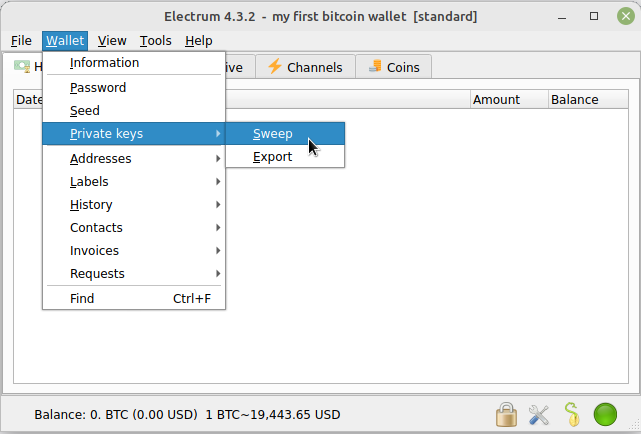
Accepting the bitcoin gift is done per below. Open your wallet and click Wallet → Private keys → Sweep.
The below window will pop up.
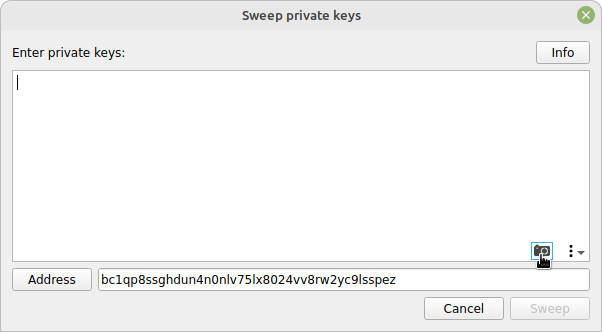
Use the bottom right camera button to turn on your 📷 webcam and you can hold the paper ‘bitcoin treat’ up to the camera. You can see that I scribbled out one of the QR codes. That was the QR code I used to put bitcoin INTO this paper wallet. The other one, the larger QR code is the one you want.
📷 Scan the QR code labeled Spend.
If you don’t have a webcam, you could also take a picture of the paper bitcoin treat and email it to yourself. Open the image up on your computer, and see those 3 dots next to the camera icon? There is a cool function there “Read QR from screen” that will let you capture the private keys that way.
Once you see a long string of numbers and letters in the “Enter private keys:” section, click Sweep. The next window will pop up.
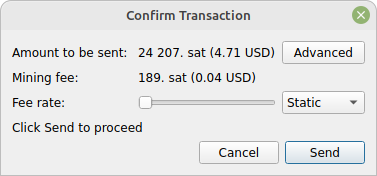
Drag the slider all the way to the left and click Send. Done! As usual, you should get an almost immediate notification from Electrum of a new Unconfirmed transaction/deposit into your wallet, as shown below in the History tab.
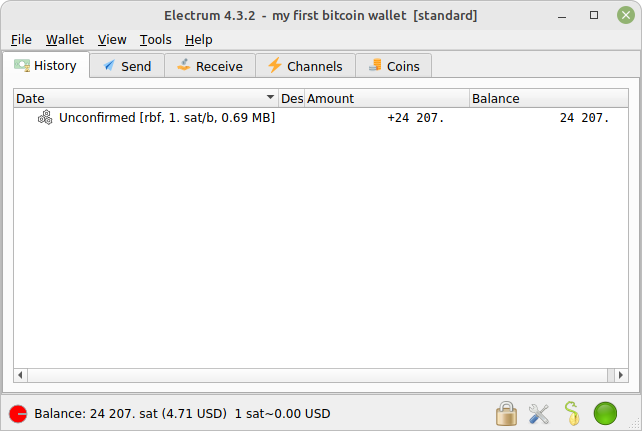
Also as usual, it can take around an hour before Electrum shows the transaction as fully green. But this is honestly pretty arbitrary. Electrum likes to see a bitcoin transactions written on 6 blocks in the blockchain before declaring it safe. When a transaction is labeled “unconfirmed” it means it is sitting in the queue for the bitcoin miners to mine it into the blockchain. Personally, once I see that it is even “Unconfirmed” I just turn off my computer and sleep soundly.
Afterall, bitcoin is for saving. Enjoy the satoshis! 🎃 🥳
👶👶 OK, if you are brand new to bitcoin, I’ve got you covered!
To use bitcoin you just need to 1) download a bitcoin wallet program to your computer, and 2) setup your first bitcoin wallet. It’s that simple. One of the oldest and most reliable bitcoin wallet programs is called Electrum. Head over to electrum.org and go the download link at the top and download the version for your OS (windows / mac, etc).

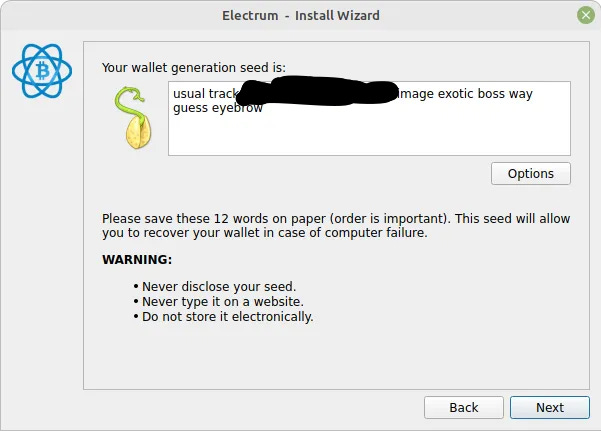
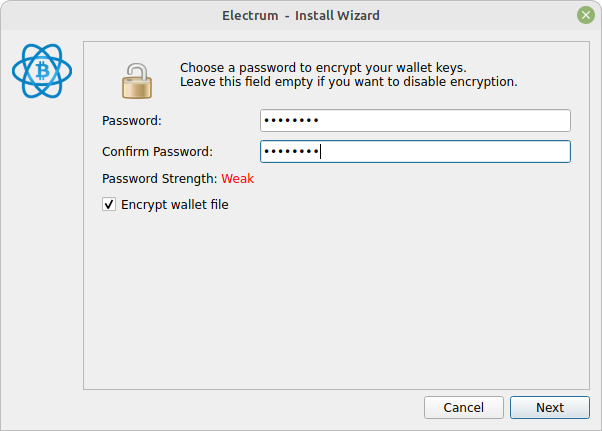
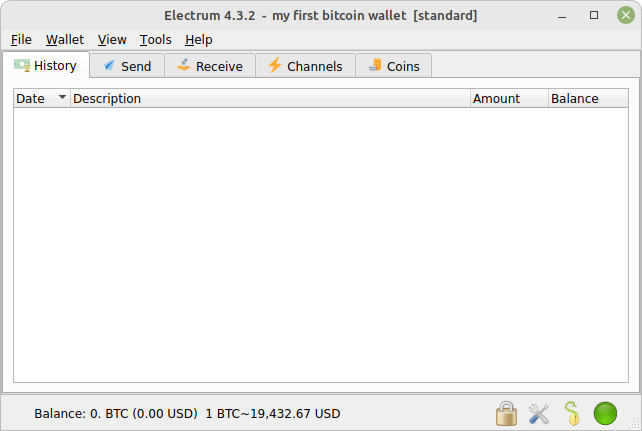
Install & run the program. Follow the steps to create a New Wallet. You’ll be prompted to name the wallet…
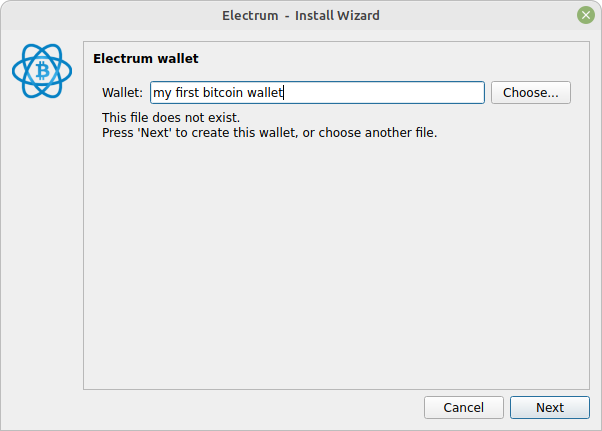
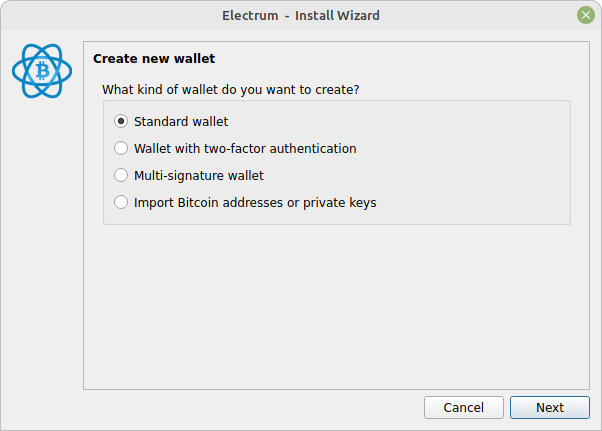
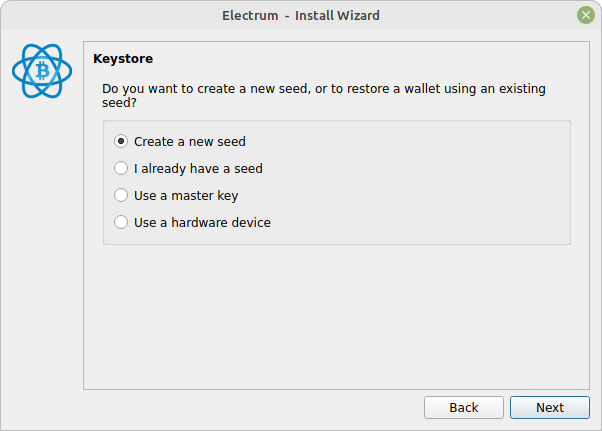
☺️☺️☺️ Don’t freak out on the next step! It’s a small amount of money and this is just for fun and learning!! ☺️☺️☺️
🥳🥳 Sweet!
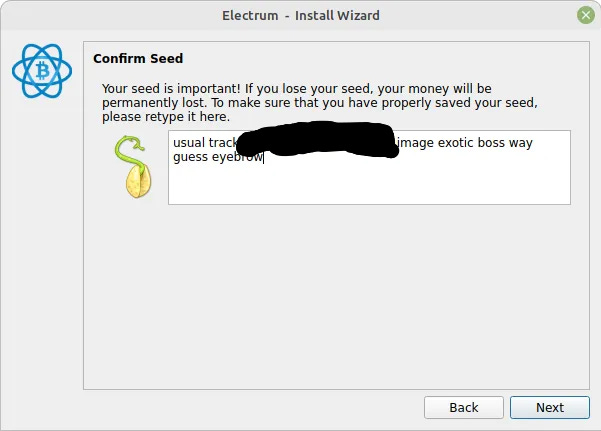
Okay, now we can transfer the funds from the “paper wallet” that you received as a Halloween treat into your own super secret bitcoin wallet. Remember: only you have the 12 word private key seed phrase so keep it safe. Scroll back up to the top for instructions how to receive the ‘bitcoin treat’ into your new wallet. Enjoy the satoshis! 🎃 🥳
How to make these paper ‘bitcoin treats’
There is a neat site called bitaddress.org. You move your mouse around on the page which it uses as randomized input to create unique bitcoin wallets.
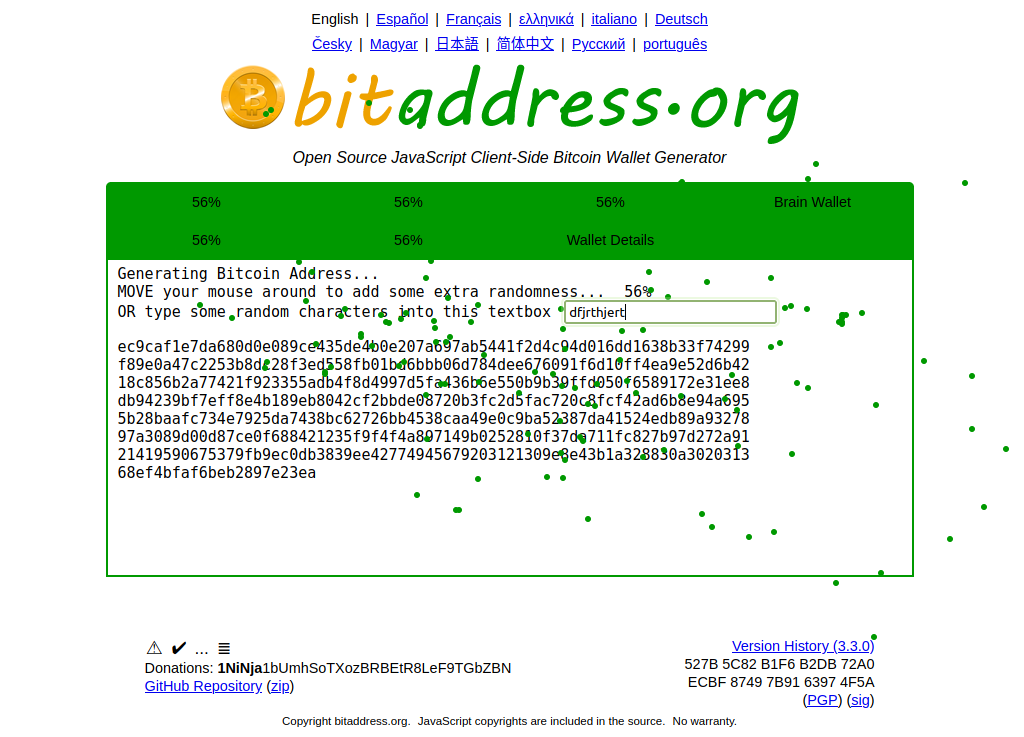
Once the counter reaches 100%, click the button that says Paper Wallet, and it will generate these slick looking paper wallets using all that randomized motion from your mouse. Each one of these “bills” is actually a different bitcoin wallet. Even though it calls them addresses they are in fact completely different wallets with their own private keys. So a pile of these shouldn’t be left outside your front door, but it would be fine to hand them out one by one to each trick or treater. Probably want to wrap it around a bite size Snickers or something with a rubber band. ☺️
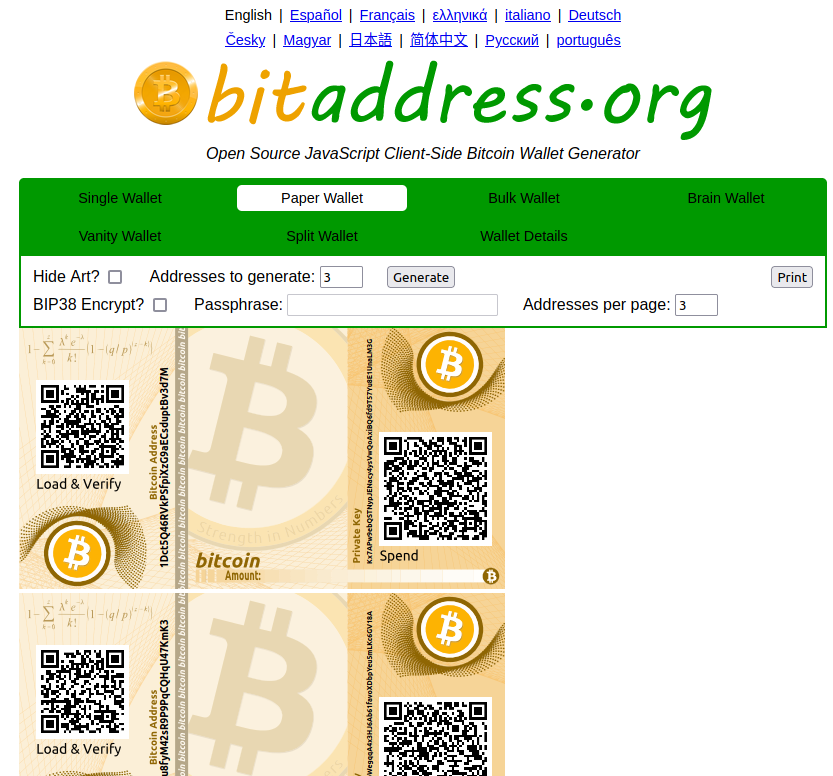
You can use Electrum to send bitcoin to the address encoded in the Load & Verify QR code on the left, and if you like, you can use that middle space to write a note to send people to this page for instructions. This is just free bitcoin education for newbies and I enjoy writing these guides.
That’s it, have fun!
🦇 🎃 Happy Treating! 🎃 🦇
If you’d like to leave me a tip, you should be able to scan this with your lightning wallet. This is a static, reusable QR code using LightingTipBot on Telegram.

LNURL1DP68GURN8GHJ7MRW9E6XJURN9UH8WETVDSKKKMN0WAHZ7MRWW4EXCUP0X9UXGCE5XCMXYERYXUMKVCN9XGMKYKYZH7N
~END